
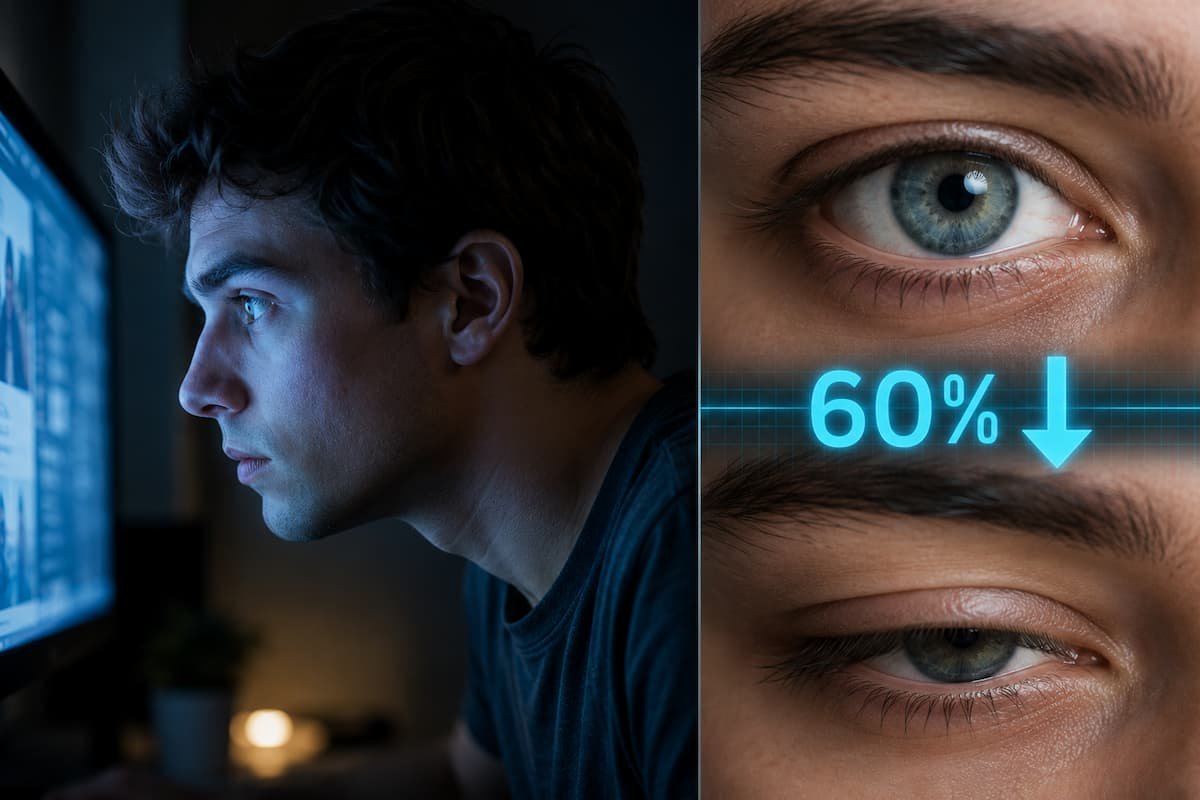
Here’s something most people don’t realize: the average person blinks about 15 to 20 times per minute under normal conditions. But park yourself in front of a computer, phone, or tablet for any length of time, and that number plummets to roughly 5 to 7 blinks per minute. That’s a staggering 60% drop, and your eyes suffer as a result.
I learned these lessons the hard way. A few years back, I spent nearly ten hours a day coding and writing, convinced that eye strain was just an unavoidable part of the job. My eyes felt gritty by 2 PM, headaches became my afternoon companion, and no amount of eye drops seemed to help for more than a few minutes. It wasn’t until I dug into the research behind screen-induced blink suppression that I understood the real culprit—and more importantly, how to address it without quitting my job or buying expensive gadgets.
Why Screens Make You Forget to Blink
Your blink reflex isn’t voluntary in the way breathing is. It’s governed by a combination of environmental cues, cognitive focus, and the demands of your visual task. When you stare at a screen, several things happen simultaneously:
- Visual attention narrows. Your brain locks onto the content, suppressing peripheral awareness—including the subtle urge to blink.
- Reduced eye movement. Unlike reading a book, where your eyes scan across a page, screens often fixate your gaze in one spot for extended periods.
- Blue light exposure. While not the primary cause of reduced blinking, it contributes to retinal stress and can make you squint or stare harder.
- Airflow changes. Screens create micro-currents of warm, dry air around your face, accelerating tear evaporation.
The result? Your tear film — the thin layer of moisture that keeps your cornea smooth, oxygenated, and protected — breaks down faster than your lacrimal glands can replenish it. This is the mechanism behind Computer Vision Syndrome (CVS), a condition now recognized by the American Optometric Association affecting up to 90% of people who use screens for more than three hours daily.
What Dry Eyes Actually Feel Like (It’s Not Just “Tired Eyes”)
Most people dismiss screen-related eye discomfort as normal fatigue. In reality, the symptoms are more specific and more damaging if ignored:
| Symptom | What It Actually Means | How Common It Is |
|---|---|---|
| Burning or stinging sensation | Your tear film has evaporated, exposing corneal nerves | Very common after 4+ hours of screen use |
| Feeling like something is in your eye | Microscopic dry spots on the cornea create friction | Affects roughly 65% of office workers |
| Blurred vision that clears after blinking | Tear film instability: blinking temporarily re-smooths the surface | Classic early sign of CVS |
| Headaches behind the eyes | Extraocular muscles strain to maintain focus on a fixed plane | Often misdiagnosed as tension headaches |
| Increased light sensitivity | Corneal surface irregularities scatter light abnormally | Develops gradually over months |
I used to think my afternoon headaches were from caffeine withdrawal or poor posture. Once I started tracking my symptoms against screen time, the pattern was unmistakable. The discomfort wasn’t random — it was mechanical, predictable, and entirely fixable.
The 20-20-20 Rule: The Foundation Everyone Skips
The Rule: Every 20 minutes, look at something 20 feet away for at least 20 seconds.
This isn’t wellness fluff—it’s ophthalmology-backed. When you focus on a screen 20 inches from your face, your ciliary muscles contract to keep the lens rounded. Looking into the distance relaxes those muscles. But here’s the part most articles leave out: use those 20 seconds to blink deliberately and fully.
A “full blink” means your upper and lower eyelids actually meet. Many people with screen habits develop “incomplete blinks” where the lids only close partially. This leaves the lower portion of the cornea exposed and drying out. During your 20-20-20 breaks, practice three to five slow, full blinks. It feels strange at first, like you’re overdoing it. You’re not. You’re retraining a reflex that screens have degraded.
Environmental Adjustments That Actually Work
Before you buy anything, optimize your workspace. These changes cost nothing and deliver measurable relief:
- Position your monitor below eye level. When you look slightly downward, your eyelids naturally cover more of the eye surface, reducing exposed area and slowing tear evaporation by up to 30%.
- Increase text size. Squinting to read small fonts reduces blink rate further. Bump your browser zoom to 110% or 125%. Your eyes will thank you.
- Manage airflow. Move desk fans, AC vents, or heaters so they don’t blow directly at your face. Even gentle air currents strip moisture from the tear film.
- Match screen brightness to ambient light. A screen that’s significantly brighter or dimmer than your surroundings forces your pupils to work harder, increasing strain and blink suppression.
- Use matte screen filters or adjust the angle. Glare causes squinting, which reduces blink rate. Tilt your screen to eliminate reflections from overhead lights or windows.
I moved my desk away from a window with afternoon sun glare, and the improvement was immediate. Sometimes the fix isn’t a product—it’s geometry.
Behavioral Techniques to Rebuild Your Blink Reflex
Since reduced blinking is partly a learned behavior, you can unlearn it. Here are three techniques I used personally and now recommend:
1. The Conscious Blink Drill (First Two Weeks)
Set a subtle timer—your phone’s vibration, a browser extension, or even a sticky note on your monitor edge. Every 10 minutes, blink 10 times slowly and completely. Do this for two weeks. It feels forced initially, but you’re rebuilding neural pathways. After about 14 days, most people find themselves blinking more naturally without prompts.
2. The Palming Reset (Midday Recovery)
At lunch or during a longer break, rub your palms together to generate warmth, then cup them gently over your closed eyes without pressing. Hold for 30 to 60 seconds. The darkness and warmth stimulate the meibomian glands along your eyelids, which produce the oily layer of your tear film. This prevents tears from evaporating too quickly.
3. Near-Far Focusing (End of Day)
Hold your thumb 10 inches from your face, focus on it for 10 seconds, then shift focus to a distant object for 10 seconds. Repeat 10 times. This exercises your ciliary muscles and naturally triggers more frequent blinking as your eyes adjust between focal planes.
When to See a Professional
Self-care handles most cases of screen-related dry eye, but some symptoms warrant an optometrist or ophthalmologist visit:
- Persistent redness that doesn’t resolve with breaks
- Sharp or shooting pain in or around the eye
- Visible discharge or crusting
- Double vision or significant vision changes
- Symptoms that worsen despite two weeks of consistent habit changes
A professional can perform a tear breakup time test, evaluate your meibomian gland function, and rule out underlying conditions like blepharitis or Sjögren’s syndrome. Don’t self-diagnose chronic issues.
The Long Game: Building Screen Habits That Last
The real challenge isn’t knowing what to do — it’s remembering to do it when you’re deep in work. Here’s what worked for me:
- Stack habits. Pair your 20-20-20 breaks with something you already do, like refilling your water bottle or stretching. The existing cue triggers the new behavior.
- Track for accountability. Use a simple tally mark system or a phone app to log your daily conscious blink sessions. Seeing a streak builds momentum.
- Adjust expectations. You won’t fix years of screen habits in a weekend. Allow your eyes two to four weeks of consistent practice before judging results.
- Involve your team. If you work in an office, suggest group 20-20-20 breaks. Social accountability makes the habit stick, and it normalizes eye health as a workplace priority.
After three months of applying these changes, my afternoon headaches disappeared. My eyes no longer felt like sandpaper by evening. I could work a full day without reaching for eye drops. The difference wasn’t dramatic or instant — it was the cumulative effect of small, mechanical corrections applied consistently.
Summary:
- Understand the problem: Screens reduce your blink rate by up to 60%, destabilizing your tear film and causing computer vision syndrome.
- Apply the 20-20-20 rule: Every 20 minutes, look 20 feet away for 20 seconds — and blink fully during that time.
- Optimize your workspace: Lower your monitor, increase text size, eliminate direct airflow, and reduce glare.
- Practice conscious blinking: Use timed drills for two weeks to retrain your blink reflex.
- Use palming and near-far focusing: These exercises restore gland function and eye muscle flexibility.
- Know when to seek help: Persistent pain, redness, or vision changes require professional evaluation.
- Build sustainable habits: Stack new behaviors onto existing routines and track your progress.
Your eyes weren’t designed for eight hours of uninterrupted screen focus, but they are remarkably adaptable when given the right support. The 60% drop in blink rate isn’t a life sentence — it’s a signal. Respond to it with intentional habits, and you’ll protect not just your comfort but also your long-term visual health.

Aisha Patel is the main writer and editor at GameVolts, a site she built to make neuroscience and health research useful for everyday people. She covers sleep, digital wellness, beginner fitness, skin science, and productivity — always digging into the original studies rather than recycling headlines. Aisha started GameVolts because she kept finding wellness advice that contradicted itself and rarely linked to actual evidence. Her rule is simple: if she cannot explain the mechanism behind a claim, she does not publish it.